18.3 Checking Subscription Bank Transfers
When an agency pays for its plan by bank transfer, the payment arrives as a subscription request. Approving it changes the agency's plan straight away.
This article is for Financial Officers. The Super Admin can do the same.
The agencies, amounts and codes in these pictures are examples only.
The Subscription Requests page
Click Subscription Requests in the side menu.
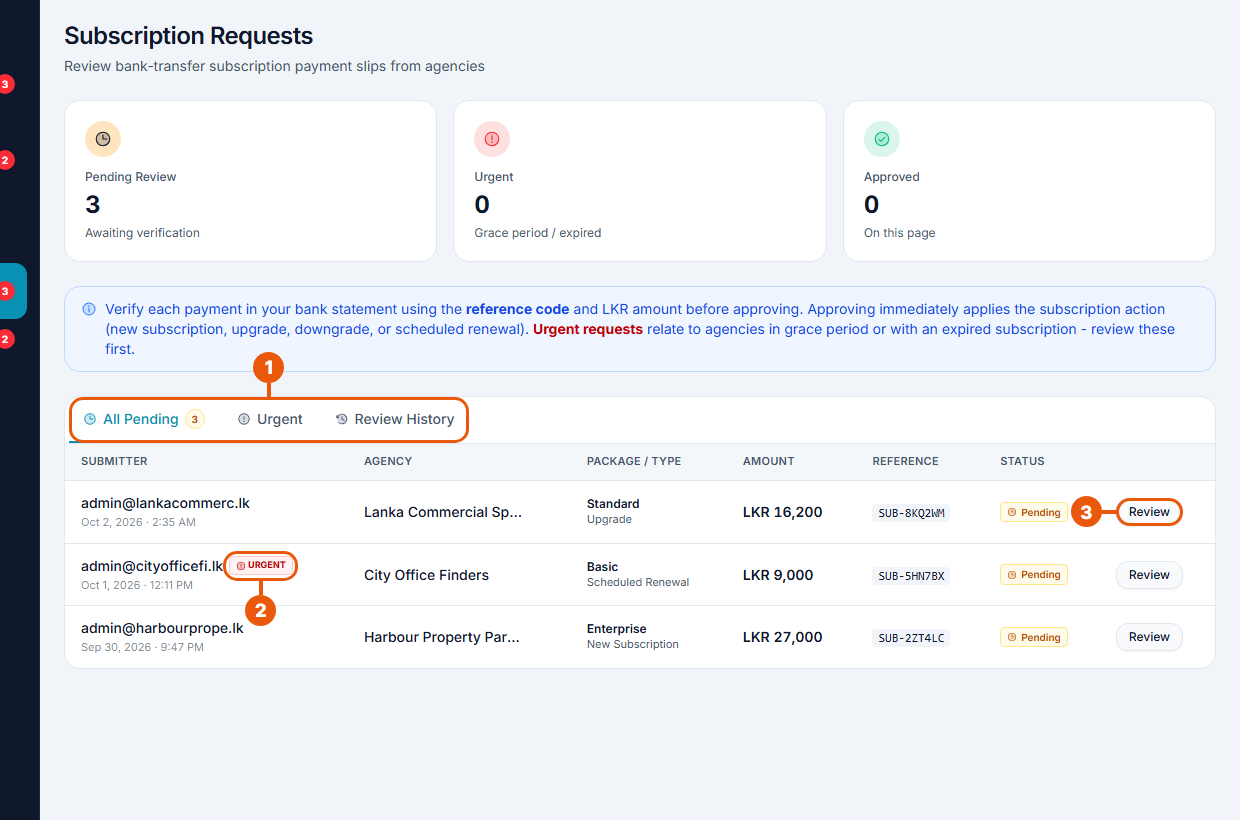
Tabs: All Pending, Urgent and Review History.
Urgent: the agency's plan has already ended or is in its grace period. Check these first; the agency's listings come off the website when the grace period ends.
Review: open the request.
Each row shows who sent it, the agency, the plan and kind of request, the amount, the reference code and the status.
Kind of request
What approving does
New Subscription
Starts the plan
Upgrade
Moves the agency to the bigger plan straight away
Downgrade
Books the smaller plan for the end of the current period
Scheduled Renewal
Books the next month so it starts when the current one ends
Reviewing a request
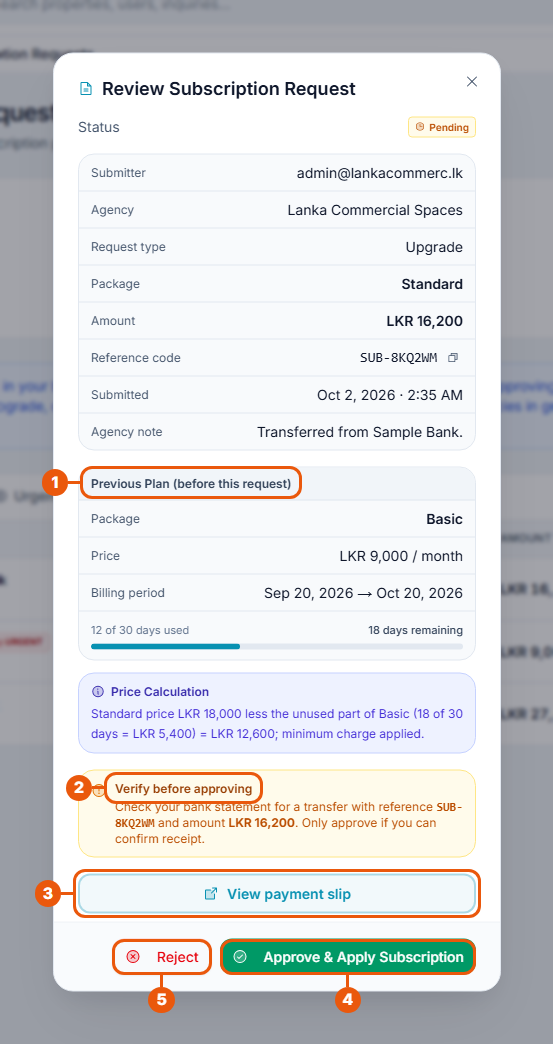
The top of the window shows the agency, the kind of request, the plan, the amount, the reference code, when it was sent and any note from the agency.
Previous Plan: the plan the agency had before. For an upgrade, Price Calculation explains how the amount was worked out.
Verify before approving: find a transfer in the bank statement with this reference code and this amount.
View payment slip: see the agency's receipt.
Approve & Apply Subscription: the plan change happens at once.
Reject: write a reason of at least 10 characters, then Confirm Rejection. The agency sees it.
The agency gets a notification either way.
Review History
The Review History tab lists requests that have been approved or rejected, with who checked them and when. Click View to open one.
Good to know
While a request is waiting, the agency can't make other plan changes, so try not to leave requests for long.
An agency that renews by bank transfer during its grace period keeps its listings on the website while you check the slip.
Related articles
Was this article helpful?
If you still have questions, our support team is here to help.
Submit a Support TicketNot signed in? Sign in first
