This guide shows you how to open CommercialProperty.lk, change the language, sign in, and use the website on your phone.
Opening the website
Go to commercialproperty.lk in any up-to-date web browser, such as Chrome, Safari, Edge or Firefox. It works on computers, tablets and phones. There's nothing to download or install.
The top bar
The bar at the top of every page takes you anywhere on the website:

Main menu
Home: back to the home page.
Buy and Rent: see properties for sale or for rent.
Pricing: prices for property owners and agencies.
Contact: send us a message.
Resources: About Us, the Agencies list, the Help Centre, and News & Blogs.
Language: change the language of the website.
Sign in: open your account.
Sign up: create a new account.
Changing the language
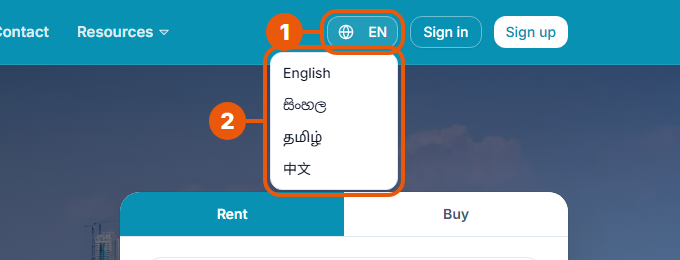
The website is available in English, Sinhala, Tamil and Chinese.
Click the language button. It shows the current language, for example EN.
Choose your language from the list.
The page reloads in the language you chose:
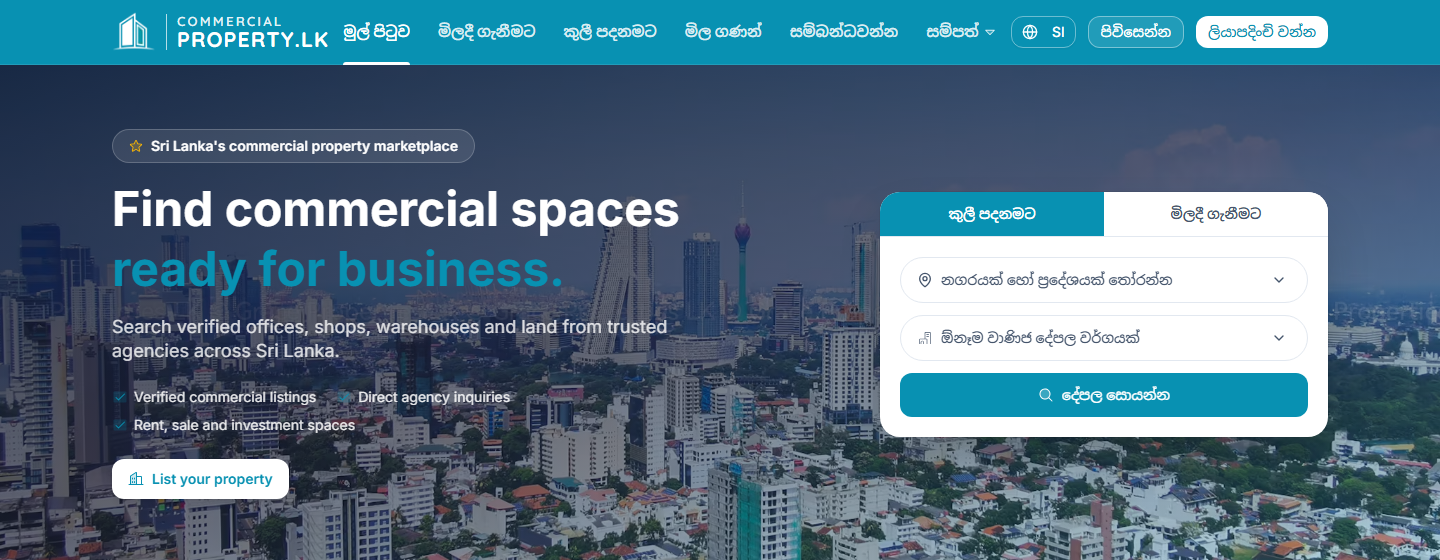
Note: the language setting changes the public website. Your account area is currently in English.
Signing in
Click Sign in at the top of any page. The Welcome back page opens.
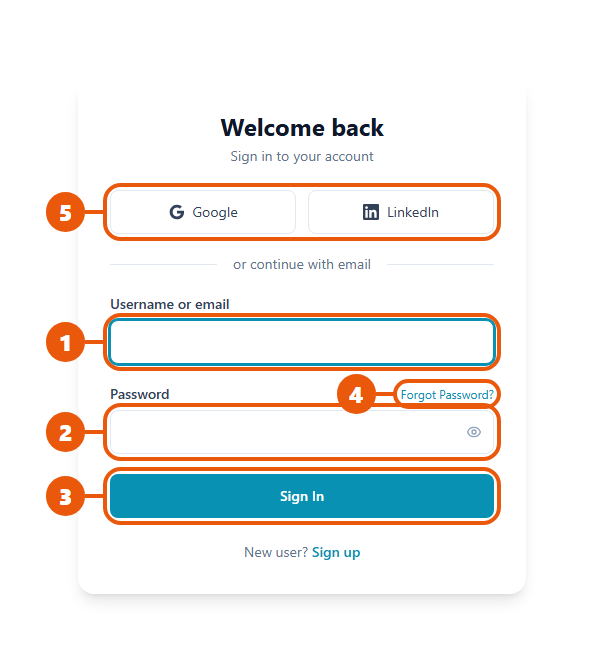
Enter your email address (or username).
Enter your password.
Click Sign In.
Other options:
Forgot Password? Get an email with a link to set a new password.
Google or LinkedIn: sign in with your Google or LinkedIn account, if that's how you signed up.
New user? Sign up: create an account if you don't have one yet.
After you sign in, you go to your Dashboard(or, for CommercialProperty.lk staff, your main work list).
Tip: you stay signed in on your device, so you don't have to sign in every time you visit. If you use a shared or public computer, always sign out when you're finished.
Using CommercialProperty.lk on your phone
The website adjusts itself to fit your phone screen. You don't need a separate app.
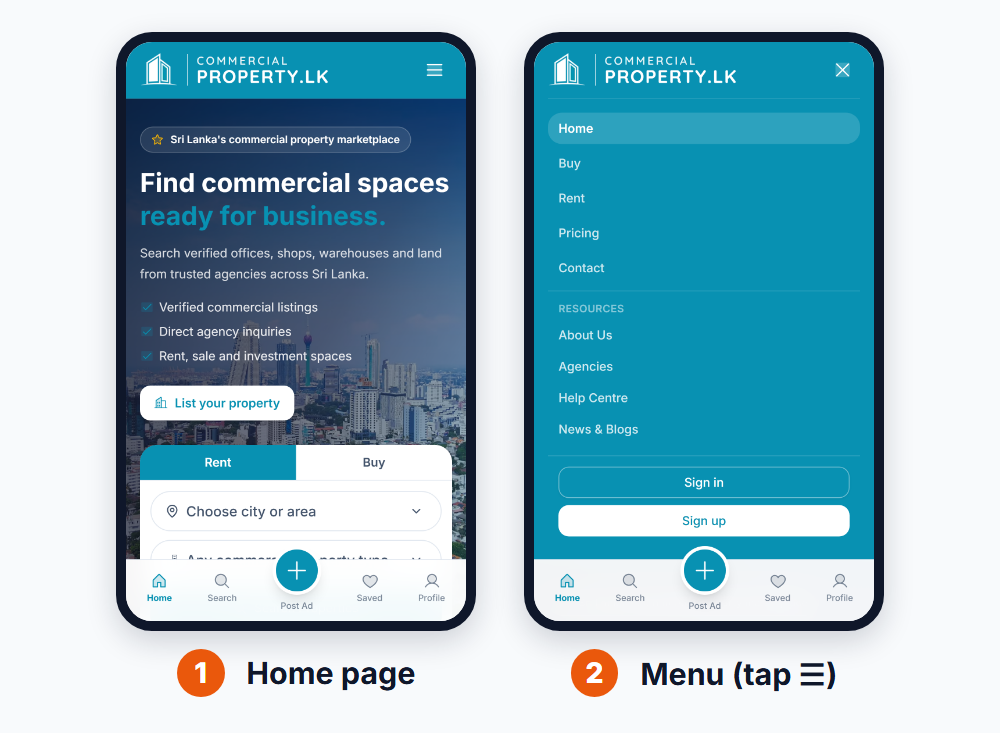
The home page shows the same search box as on a computer.
Tap ☰(top right) to open the menu. It contains all the main pages, Sign in and Sign up.
The bar at the bottom of the screen has quick buttons:
Home: the home page
Search: find properties
Post Ad: start advertising a property
Saved: your favourite properties
Profile: your account
Signing out
Open your account menu (click your name or photo) and choose Sign out. Always sign out on shared devices.
Having trouble?
Problem
What to do
I forgot my password
Click Forgot Password? on the sign-in page and follow the email.
I can't find the sign-in button on my phone
Tap ☰ at the top right. Sign in is at the bottom of the menu.
The page looks wrong or won't load
Refresh the page, or try another browser. Make sure your browser is up to date.
I still need help
Visit the Help Centre(under Resources) or contact us.
Related articles
Was this article helpful?
If you still have questions, our support team is here to help.
Submit a Support TicketNot signed in? Sign in first
