Everyone who uses CommercialProperty.lk has a role. Your role decides what you can see and do in your account area. This page explains each role in simple terms.
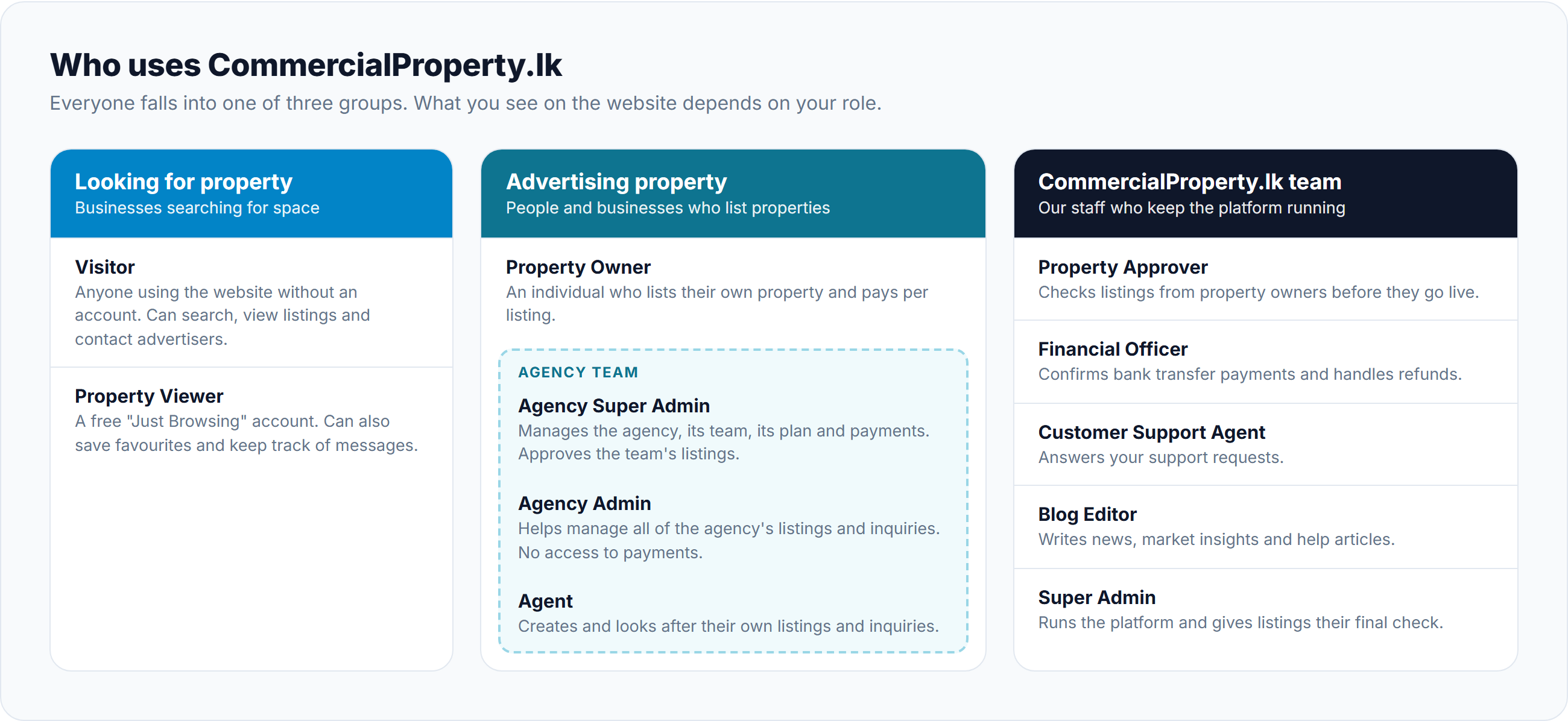
People looking for property
Visitor
Anyone using the website without signing in.
Search and filter properties, and view photos and details.
Contact advertisers by phone, email, WhatsApp or the inquiry form.
Browse agencies, read news and use the Help Centre.
Property Viewer ("Just Browsing")
Afree accountfor people who are looking for a property.
Everything a visitor can do, plus:
Save favourite properties to look at later.
Keep track of all your inquiries and messages in one place.
Ask our support team for help.
Upgrade to a Property Owner account later if you decide to advertise.
People advertising property
Property Owner
An individual who owns a property and wants to advertise it.
Create listings and pay a one-time fee for each one.
Renew a listing when its time runs out.
Promote listings with points.
Reply to inquiries and manage the contact details shown on listings.
See payments and receipts, and ask for a refund if a listing is not approved.
The agency team
Agencies have up to three roles, so each person gets the right level of access.
Role
Who they are
What they can do
Agency Super Admin
The owner or manager of the agency
Everything below,plus: complete the agency's verification, edit the agency profile, invite and manage team members,approve the team's listings, choose and pay for the agency's plan, and buy points.
Agency Admin
A senior team member
Work withallof the agency's listings and inquiries, and pass inquiries to the right agent. Cannot see or change payments, or add and remove team members.
Agent
An agent in the team
Create and look after their own is tings, reply to their inquiries, and promote listings.
promote listings.
Joining an agency? Don't create your own account. Your Agency Super Admin will send you an invitation by email. See Choosing the Right Account Type.
Agency must be verified first. Agency accounts must be verified before the team can use most features. Until then, some menu items show a padlock 🔒. The Agency Super Admin completes the verification.
The CommercialProperty.lk team
These are our own staff. You may see their names on updates about your listing, payment or support request.
Role
What they do for you
Property Approver
Checks property owners' listings before they go live.
Financial Officer
Checks bank transfer payments and handles refunds.
Customer Support Agent
Answers your support requests.
Blog Editor
Writes news, market insights and help articles.
Super Admin
Runs the platform, checks agencies, and gives listings their final check before they get theCPLK Verifiedbadge.
Who can do what: at a glance
✓ = can do this—= cannot do this
Task
Visitor
Property Viewer
Property Owner
Agent
Agency Admin
Agency Super Admin
Search and view properties
✓
✓
✓
✓
✓
✓
Contact advertisers
✓
✓
✓
✓
✓
✓
Save favourite properties
—
✓
✓
✓
✓
✓
Ask support for help
—
✓
✓
✓
✓
✓
Create listings
—
—
✓
✓
✓
✓
Promote listings
—
—
✓
✓
✓
✓
Reply to inquiries on listings
—
—
✓
Own listings
All agency listings
All agency listings
Approve the agency's listings
—
—
—
—
—
✓
Invite and manage team members
—
—
—
—
—
✓
Pay for plans, listings and points
—
—
✓
—
—
✓
See performance reports
—
—
—
✓
✓
✓
Where you land after signing in
After you sign in, you go straight to the most useful page for your role:
Most people land on their Dashboard, a summary of listings, views, inquiries and anything that needs attention.
CommercialProperty.lk staff land on their main work list (for example, the list of listings waiting to be checked).
How do I get a role?
Role
How you get it
Property Viewer, Property Owner, Agency Super Admin
Sign up yourself. See Choosing the Right Account Type.
Agency Admin, Agent
Your Agency Super Admin invites you by email.
CommercialProperty.lk staff roles
Created by CommercialProperty.lk only.
Related articles
Was this article helpful?
If you still have questions, our support team is here to help.
Submit a Support TicketNot signed in? Sign in first
