The Help Centre is where you find answers yourself: short guides, common questions, and a way to ask our support team for help. Anyone can use it, signed in or not.
To open it, click Resources at the top of the website, then Help Centre. You can also find Help Centre at the bottom of every page.
The Help Centre page
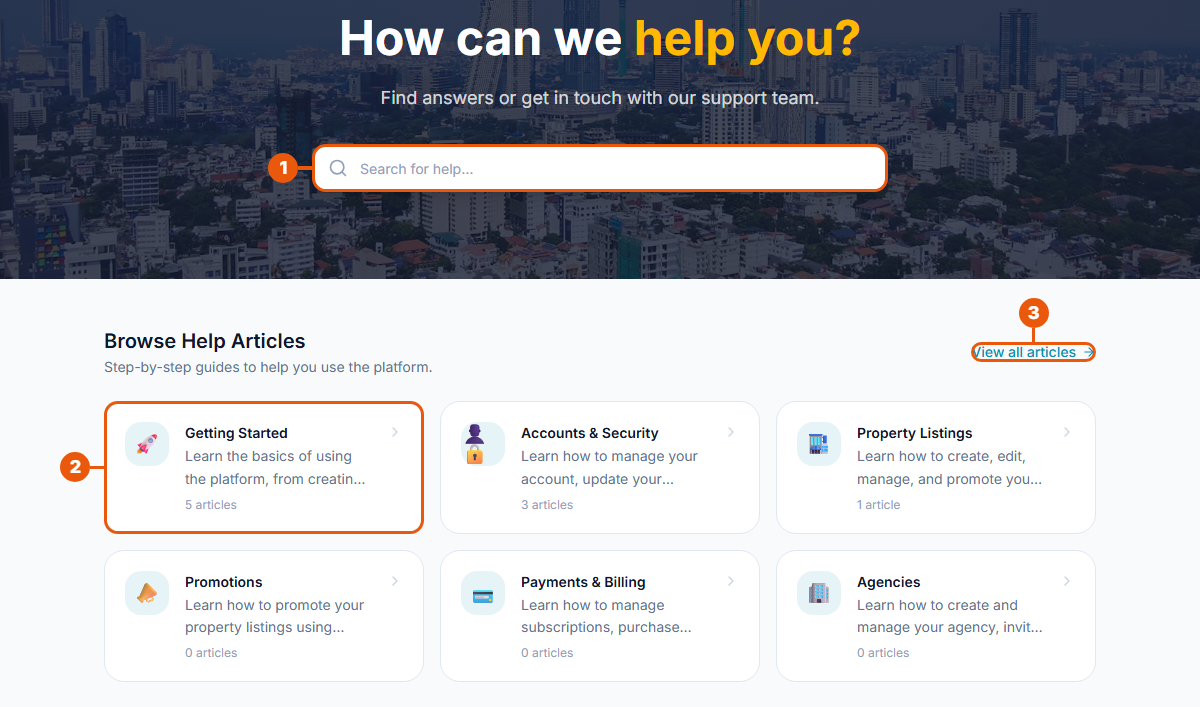
Search for help: type a word, such as "password" or "payment". The list of questions further down shows only the ones that match.
A help category: click it to see the guides in that category, such as Getting Started or Accounts & Security. The number under each category shows how many guides it holds.
View all articles: see every category and guide on one page.
Common questions and more help
Lower down the same page:
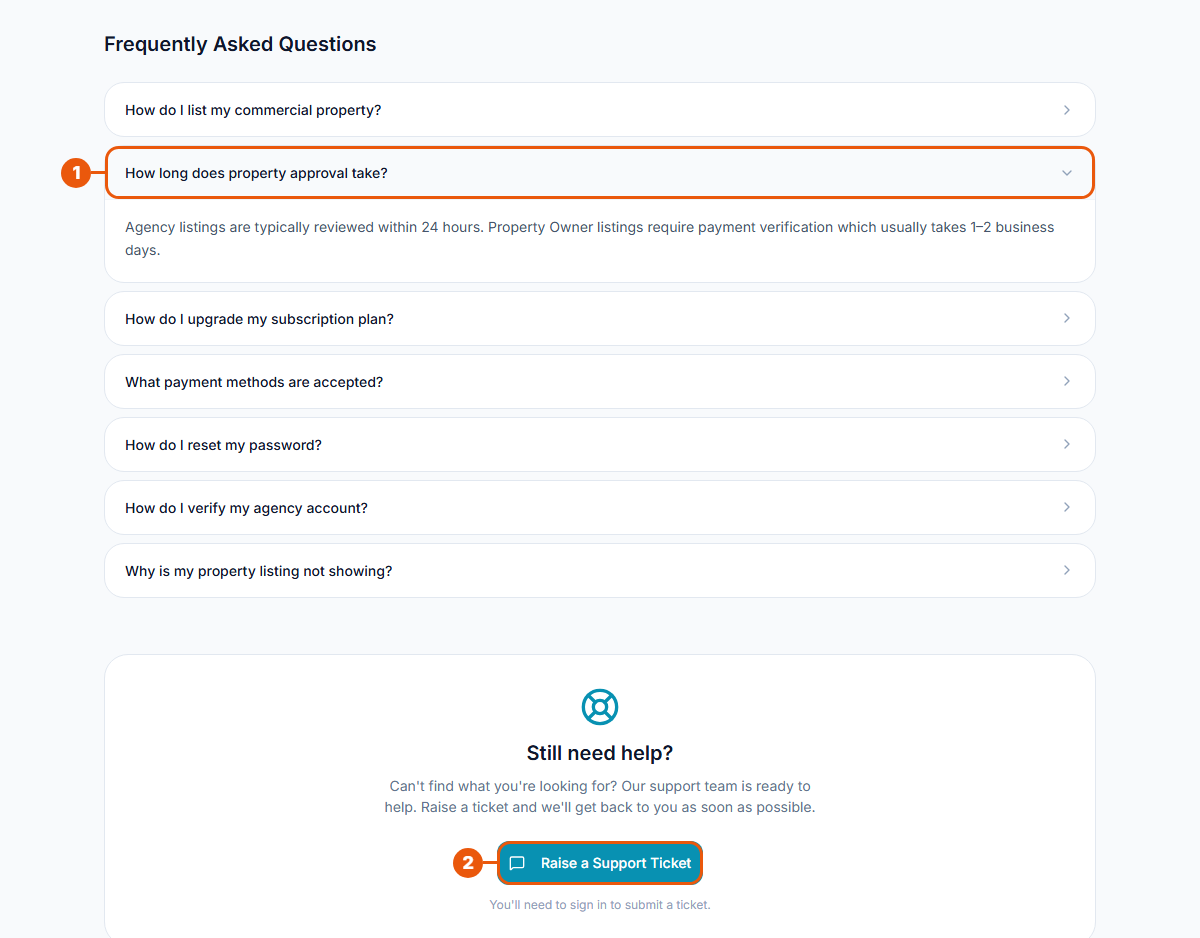
Frequently Asked Questions: click a question to show its answer. Click it again to close it.
Raise a Support Ticket: if you can't find your answer, ask our support team. You need to be signed in. See Raising a Support Ticket.
Your recent tickets
When you are signed in, the Help Centre also shows your latest support tickets.
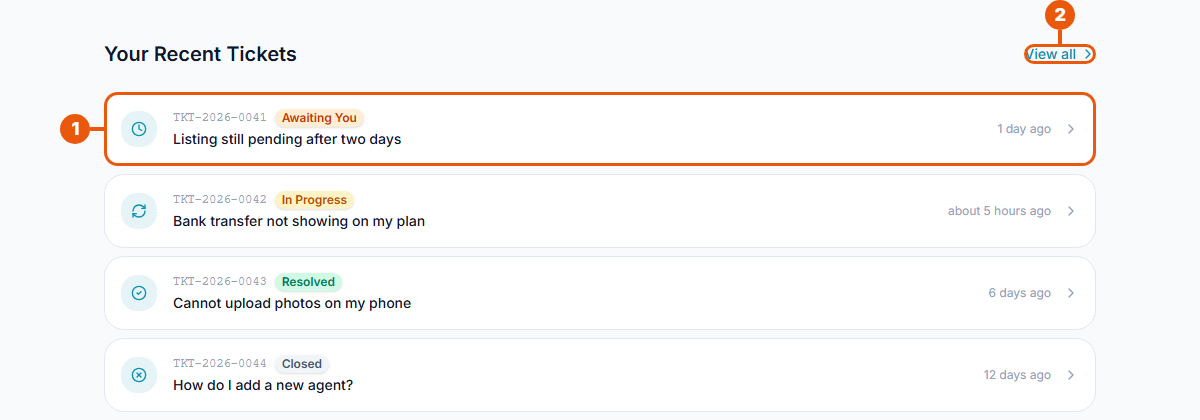
A ticket: shows its number, its title, its status and when it last changed. Click it to open it.
View all: see all your tickets. See Tracking and Replying to Your Tickets.
On this page, a ticket that needs your answer shows Awaiting You. In your account, the same ticket shows Waiting for User.
The tickets in this picture are examples only.
Browsing all help guides
Click View all articles to see every category with its guides.
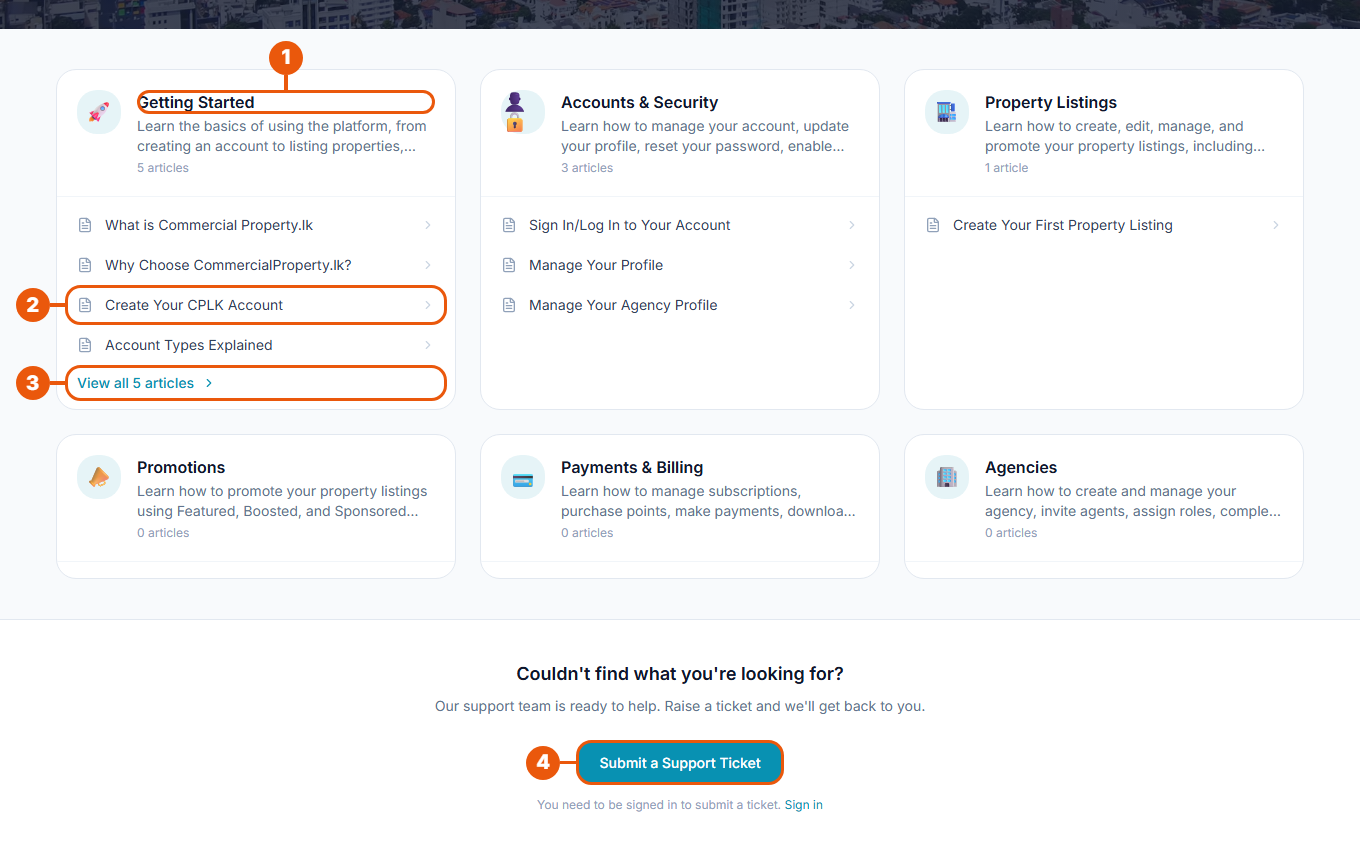
Category name: what the guides below it are about.
A guide: click it to read it.
View all: shown when a category has more guides than fit in the box.
Submit a Support Ticket: ask for help if you didn't find what you need.
Reading a guide
A guide opens on its own page. While reading, you can:
use the links at the top (for example Home › Help Centre › Knowledge Base) to go back;
open other guides from the same category in the list beside the guide;
click Next Article at the end to keep reading;
click Submit a Support Ticket if you still need help.
Tips
Start with the questions list. Many common answers, such as how long checking a listing takes, are there.
Use one simple word in the search box. "Payment" finds more than "how do I pay my bill".
Still stuck? Raise a support ticket. A ticket lets you follow the answer in your account.
Related articles
Was this article helpful?
If you still have questions, our support team is here to help.
Submit a Support TicketNot signed in? Sign in first
