The Contact page lists our office details and has a form for sending us a message. You don't need an account to use it.
To open it, click Contact at the top of the website, or Contact Us at the bottom of any page.
Form or support ticket?
Use the Contact form when…
Use a support ticket when…
You don't have an account.
You have an account.
You have a general question, for example about advertising with us.
You need help with your account, a listing, a payment or a problem on the website.
You are looking for a property and want our team to help.
You want to follow the answer in your account.
To raise a ticket, see Raising a Support Ticket.
Our contact details
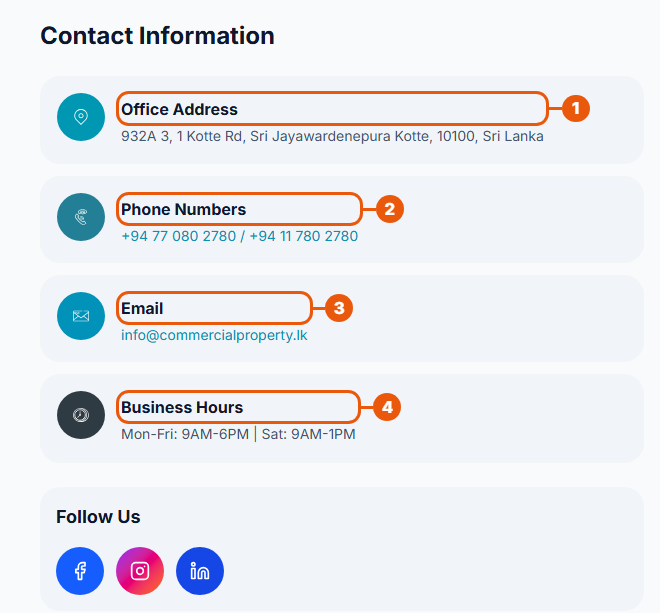
Office Address: where to find us. A map is shown further down the page.
Phone Numbers: click a number to call it from your phone.
Email: click it to write to us from your email app.
Business Hours: when our office is open.
Under Follow Us are links to our social media pages.
Sending a message
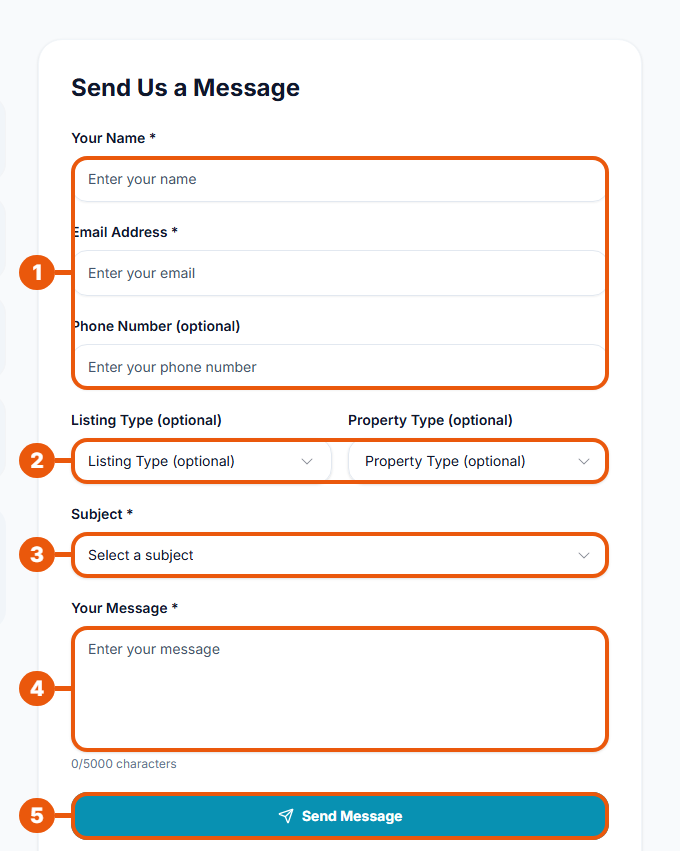
Enter Your Name and Email Address. A Phone Number is optional.
If your message is about a property, choose the Listing Type (For Sale, For Rent or For Lease) and the Property Type. Both are optional.
Choose a Subject: General Inquiry, Listing Support, Advertising, Reporting an Issue, or Other.
Write Your Message: at least 10 and up to 5,000 characters. The counter below the box shows how many you have used.
Click Send Message.
The form is protected by reCAPTCHA, a check that stops automatic spam. It works in the background; you usually don't need to do anything.
After you send it
You see Message Sent! The website says our team will get back to you within 24 to 48 business hours.
To send another message, click Send Another Message.
If it doesn't send
Message
What to do
Security verification failed
Refresh the page and try again.
Too many submissions
Wait 15 minutes, then try again.
Failed to send message
Try again later, or email us at the address on the page.
Quick Contact
Near the bottom of the page are three quick buttons:

Call Now: call our office.
Email Us: write to us from your email app.
WhatsApp: chat with us on WhatsApp.
Related articles
Was this article helpful?
If you still have questions, our support team is here to help.
Submit a Support TicketNot signed in? Sign in first
