10.3 Viewing a Property
Click any property card to open its full page. Here you can look at the photos, read the details, see the location on a map, and contact the advertiser.
The top of the page
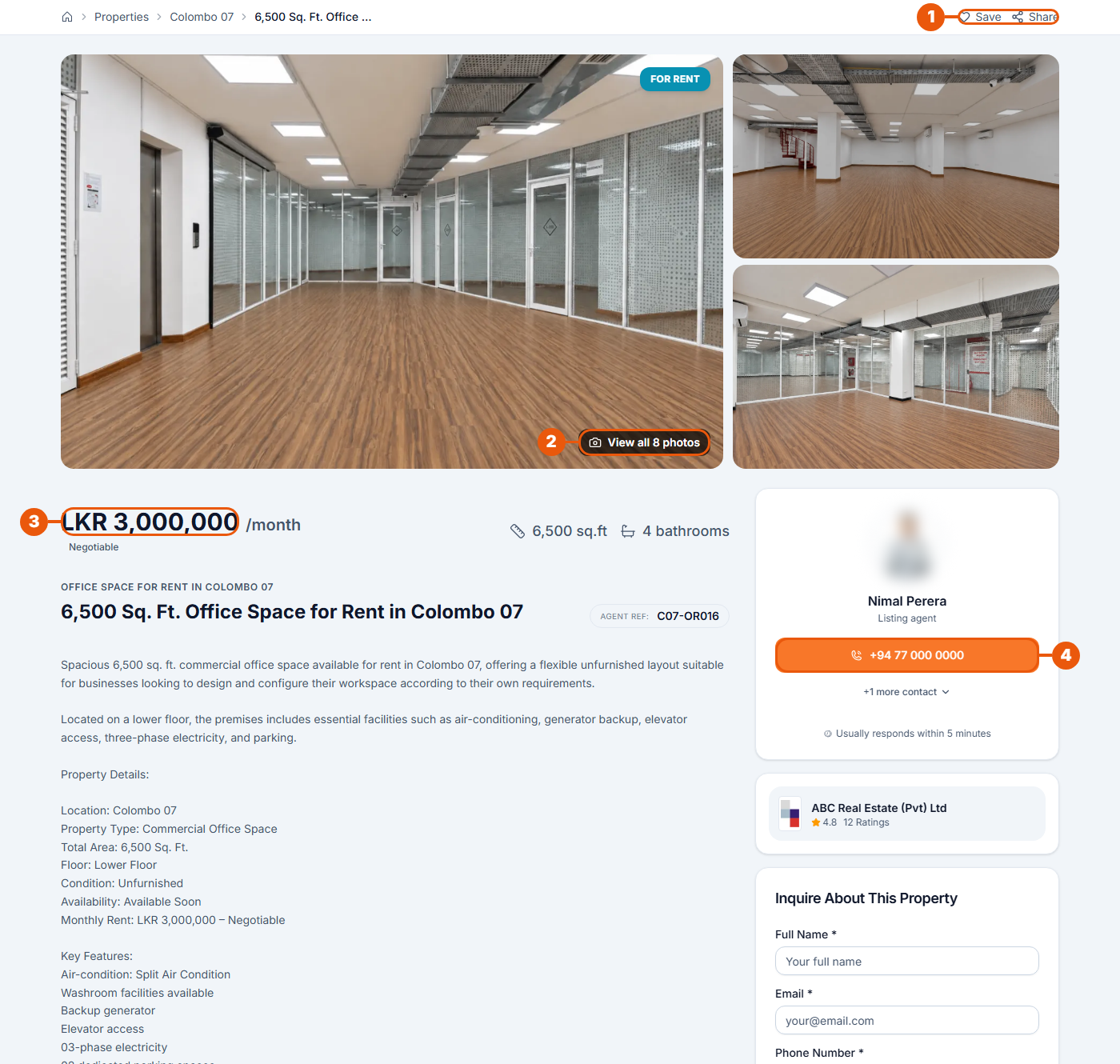
Save and Share: save the property to your favourites, or send it to someone.
View all photos: open every photo in a full-screen viewer. Use the arrows or the small pictures at the bottom to move between them.
Price: with the size and other key facts beside it. Negotiable appears under the price when the advertiser is open to offers.
Advertiser: the listing agent or the property owner, with a button to call them. Click more contact to see other ways to reach them. Under it is the agency; click it to see the agency's page.
Below the advertiser is the Inquire About This Property form. See Sending an Inquiry About a Property.
The label on the main photo shows For Rent or For Sale. It changes to Rented or Sold once the deal is done.
Details, features and map
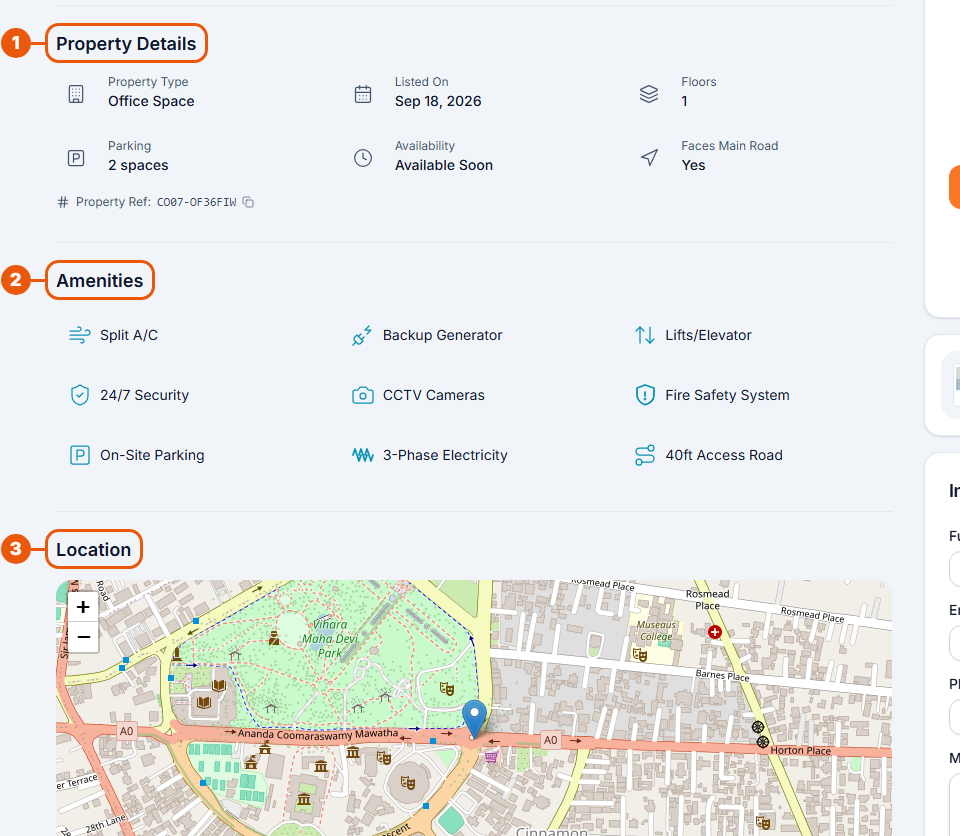
Under the description:
Property Details: the property type, the date it was listed, floors, parking, availability and whether it faces a main road. The Property Ref is the listing's code; quote it when you contact the advertiser or support.
Amenities: what the property offers, such as air conditioning, a backup generator or security.
Location: a map showing where the property is. Use + and − to zoom.
Under the map you can see how many times the listing has been viewed and when it was listed.
Further down the page
Similar Properties: other listings like this one.
Frequently Asked Questions: quick answers about this property, such as whether it has parking or is furnished, and how to inquire.
Sharing a property
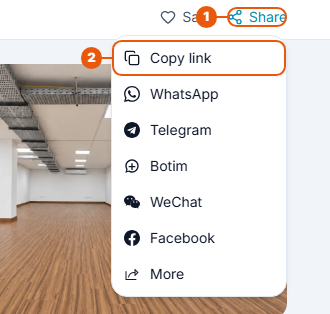
Click Share.
Click Copy link to copy the page address, then paste it into a message or email.
You can also share straight to WhatsApp, Telegram, Botim, WeChat or Facebook.
Contacting the advertiser
You can:
call using the button under the advertiser's name;
use Call, Email or WhatsApp on a property card;
fill in the Inquire About This Property form. You don't need an account.
Related articles
Was this article helpful?
If you still have questions, our support team is here to help.
Submit a Support TicketNot signed in? Sign in first
