10.5 Browsing Agencies
Every agency on CommercialProperty.lk has its own page showing who they are, how to reach them and everything they have listed.
The list of agencies
On the home page, scroll to Verified Agencies and click View All.
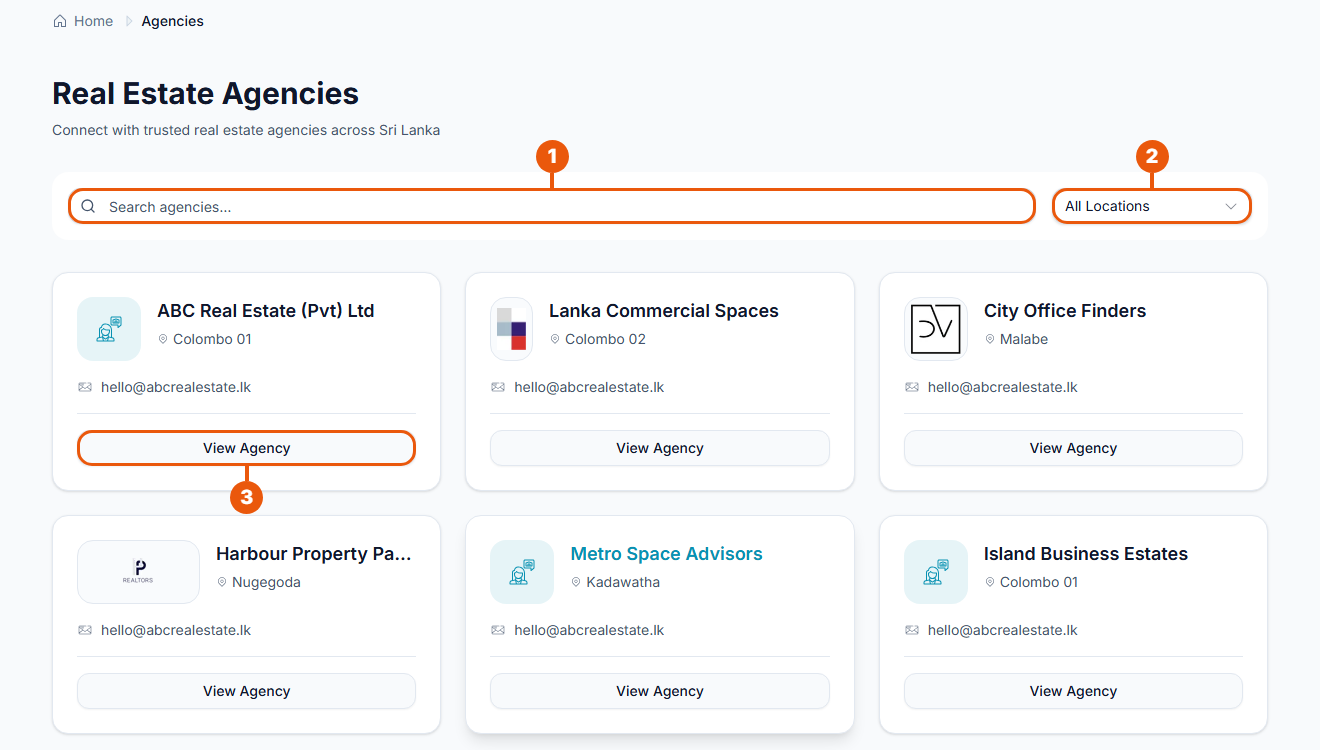
Search agencies: type an agency's name.
All Locations: show only agencies in one city.
View Agency: open the agency's page.
Each card shows the agency's logo, name, city and email address.
An agency's page
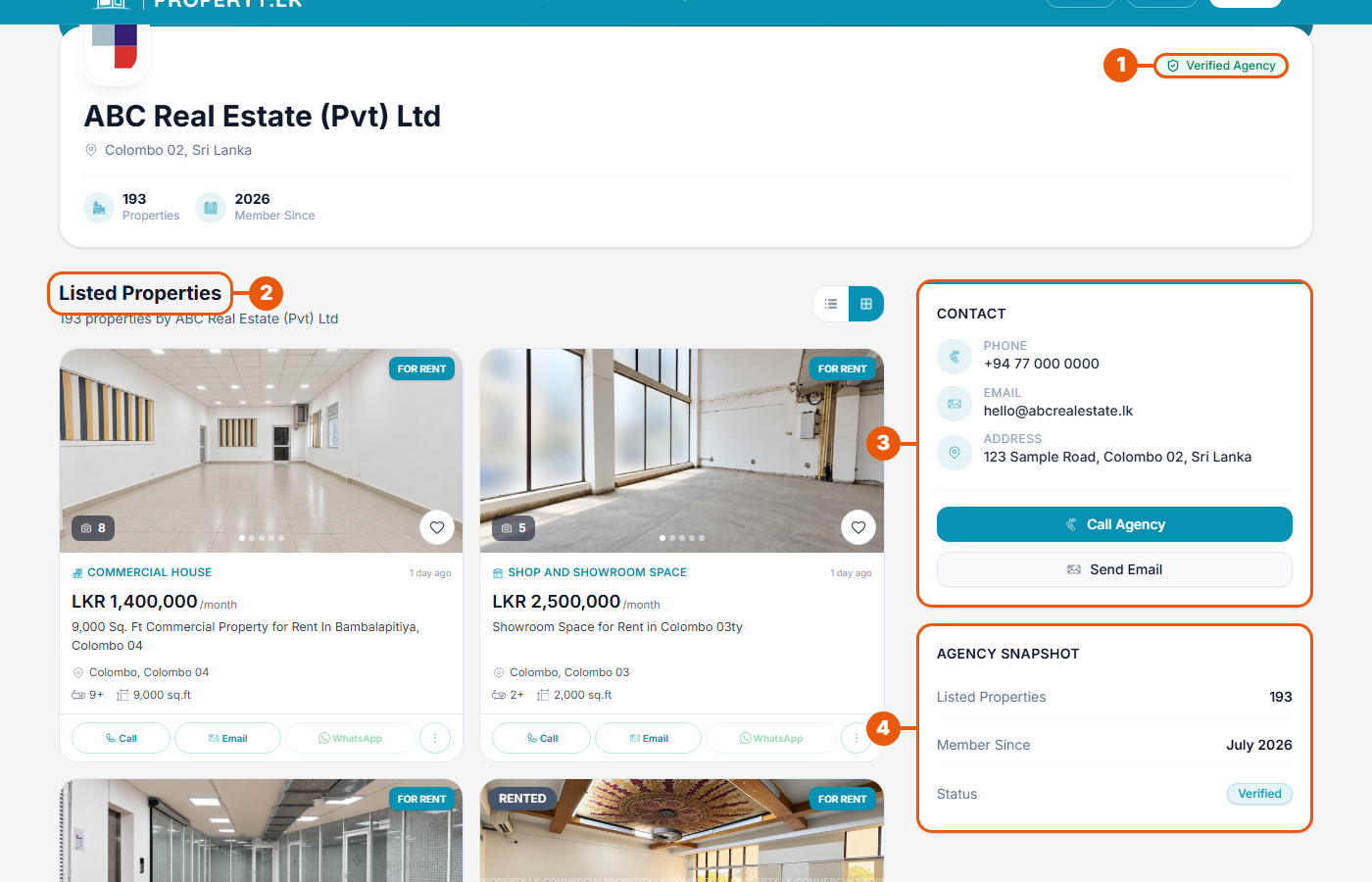
Verified Agency: the agency has proved its identity to CommercialProperty.lk.
Listed Properties: every property the agency has on the website. Switch between a grid and a list with the buttons on the right.
Contact: the agency's phone number, email and address, with Call Agency and Send Email buttons.
Agency Snapshot: how many properties the agency has listed and when it joined.
At the top of the page you'll also see the agency's cover picture, logo and location.
Other ways to reach an agency's page
On a property's page, click the agency's name under the advertiser.
On a property card, click the three dots, then View agency.
For agencies
What appears on your page comes from your agency details. To change your logo, cover picture, description or contact details, see Managing Your Agency Profile.
Your page shows the Verified Agency label once your agency is verified. See Why Verification Is Required.
Related articles
Was this article helpful?
If you still have questions, our support team is here to help.
Submit a Support TicketNot signed in? Sign in first
