20.4 Writing Help Centre Articles
Help articles appear in the public Help Centre. They explain how to use CommercialProperty.lk, step by step. This article is for Blog Editors.
The articles in these pictures are examples only.
Your help articles
Click Knowledge Base in the side menu.
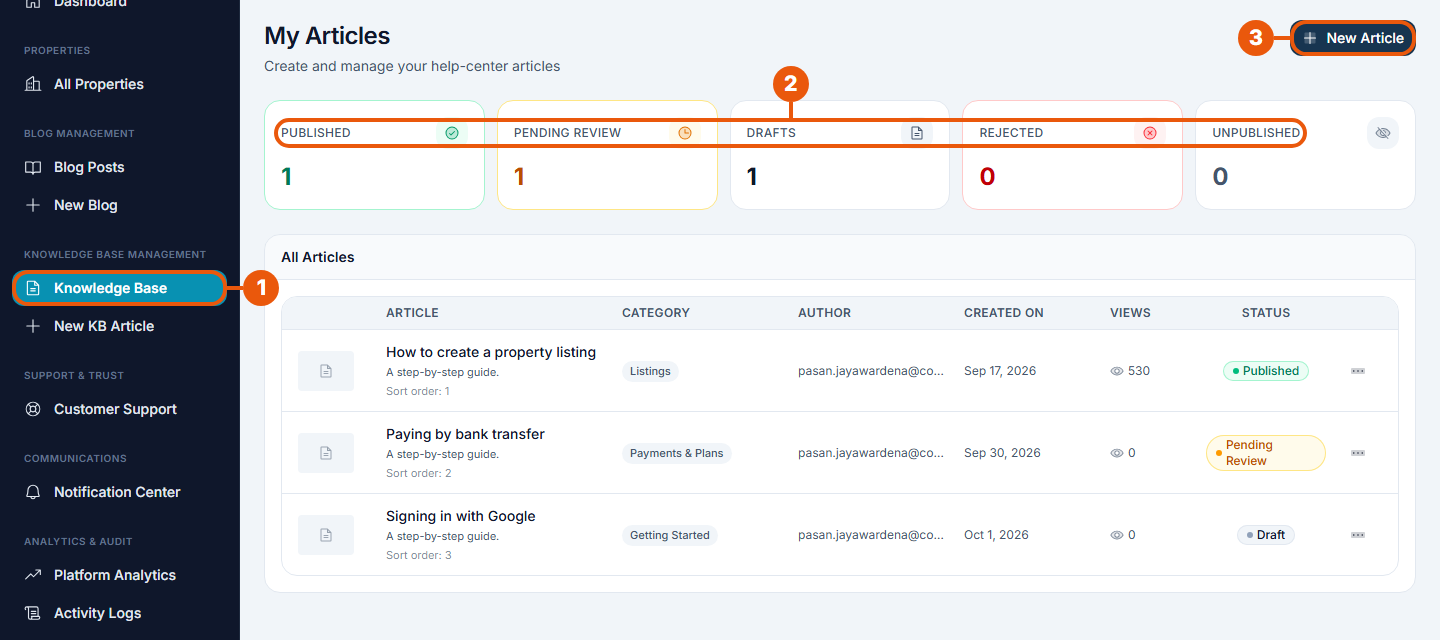
Knowledge Base in the side menu.
Counts: published, waiting for review, drafts, rejected and unpublished. Click one to show only those articles.
New Article: start a new help article. You can also click New KB Article in the side menu.
Each row shows the article's category, author, date, views and status.
Writing an article
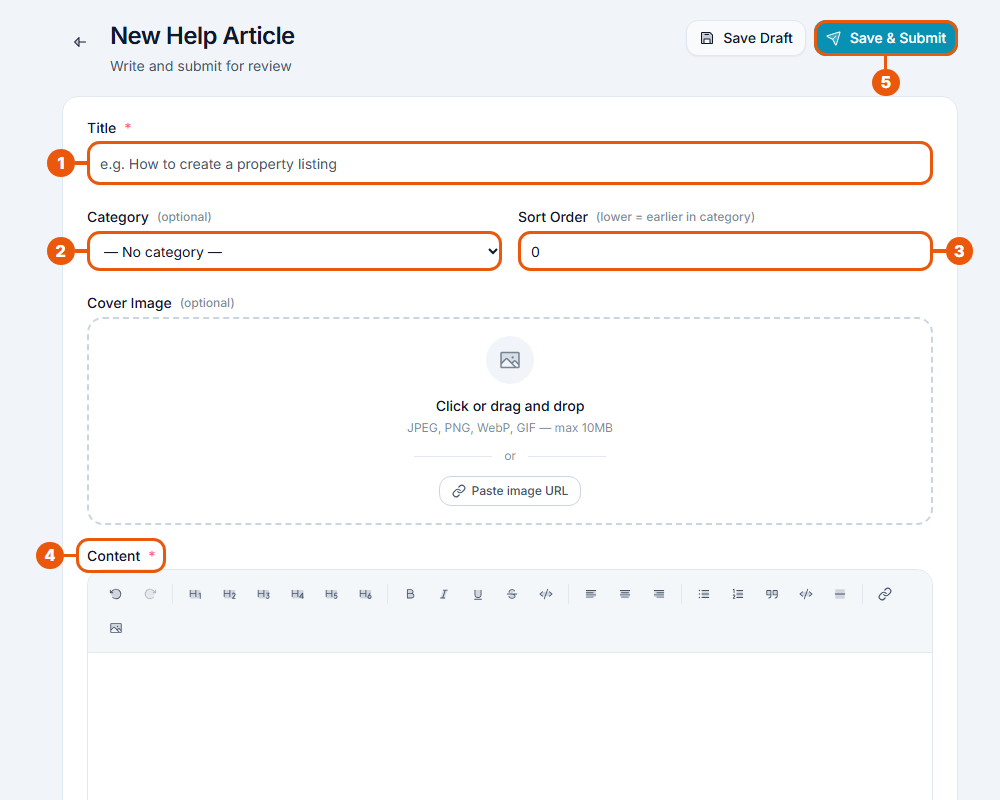
Title: say what the reader will learn, for example "How to create a property listing".
Category: the Help Centre section it belongs in.
Sort Order: its place in the category. Lower numbers come first.
A cover picture is optional.
Content: write the steps. Use headings and numbered lists.
Save & Submit: send it for review. Or Save Draft to finish later.
After review it follows the same steps as a blog post. See How Content Is Published.
How articles appear in the Help Centre
Articles are grouped by category, in your sort order.
Some categories are featured on the Help Centre's main page. The Super Admin chooses them. See Managing Help Centre Categories.
An article without a category is harder for readers to find. Always choose one.
Writing tips
One task per article.
Number the steps, and use the exact names of buttons and menus.
Use plain English; avoid technical words.
Keep articles current when the website changes.
Related articles
Previous Article
20.3 Editing Published Posts and Articles
Next Article
20.5 Reviewing and Approving Content
Was this article helpful?
If you still have questions, our support team is here to help.
Submit a Support TicketNot signed in? Sign in first
