If you work for an agency that uses CommercialProperty.lk, you don't sign up yourself. Your agency manager (the Agency Super Admin) adds you to the agency's account, and you receive an invitation by email. CommercialProperty.lk staff are invited in the same way.
Step 1: Open the invitation email
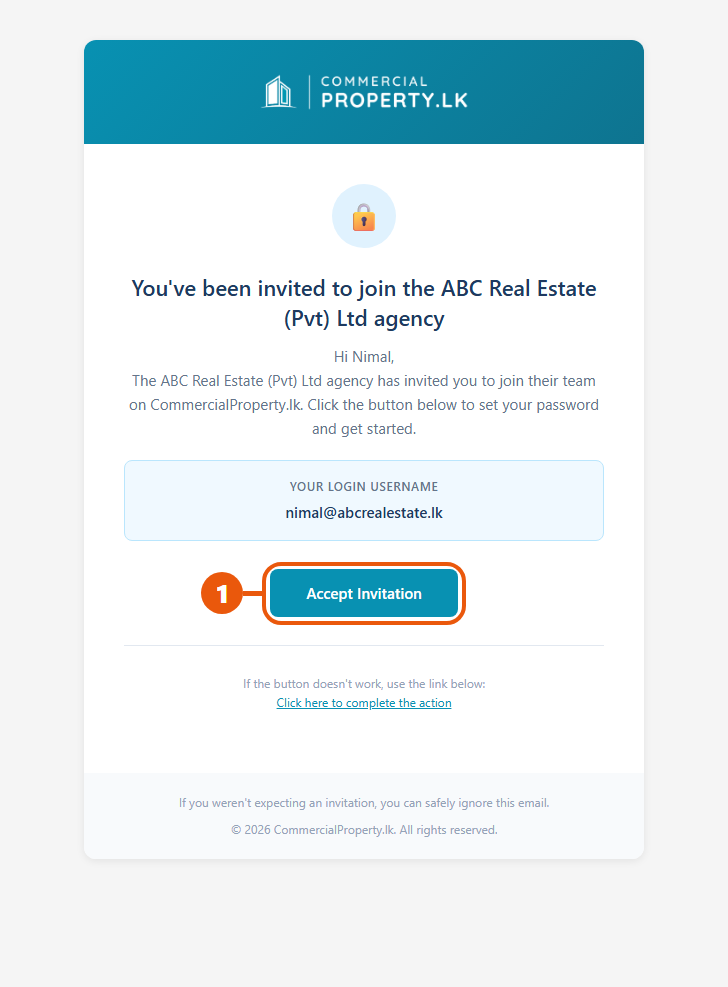
Look for an email from CommercialProperty.lk saying you've been invited to join your agency.
The email shows your login username. This is the email address you'll use to sign in.
Click Accept Invitation.
Step 2: Set your password
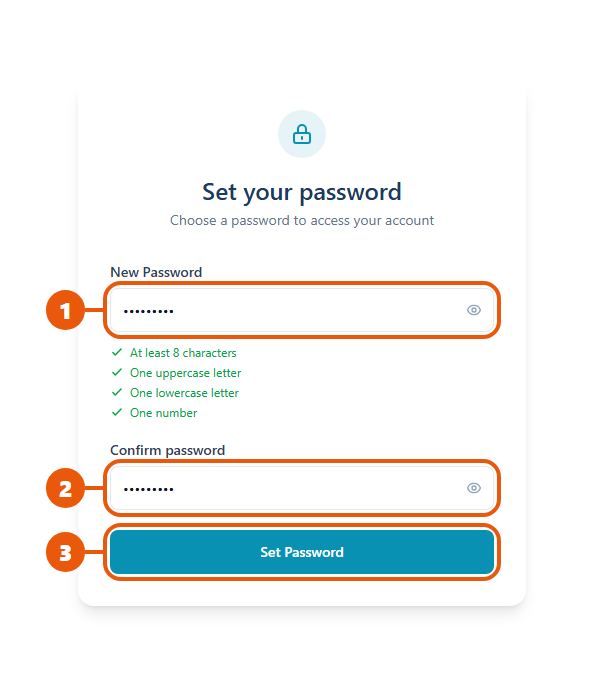
The Set your password page opens.
Choose a password. It needs at least 8 characters, with a capital letter, a small letter and a number.
Type it again to confirm it.
Click Set Password.
Step 3: Sign in
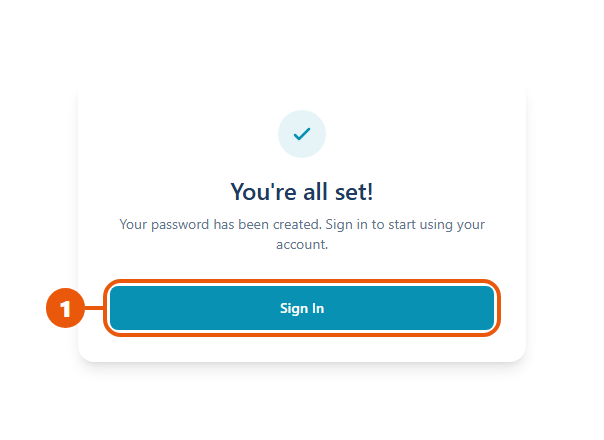
You'll see You're all set!
Click Sign In, then sign in with the email address from the invitation and your new password.
You're taken to your Dashboard. Your role (for example Agent or Agency Admin) was chosen by the person who invited you.
What you'll see first
Agency members: if your agency hasn't finished its verification yet, most menu items are locked 🔒 and you'll see a message on your Dashboard. Your Agency Super Admin needs to complete the verification. Nothing else is needed from you. See Why Verification Is Required.
What you can do depends on your role. See User Roles & Permissions.
If the invitation link has expired
Invitation links only work for a limited time, and each link works only once.
If the link has expired, ask the person who invited you to send the invitation again. They can do this from the agency's member list. You'll get a new email; use the newest one.
Common problems
Problem
What to do
I can't find the invitation email
Check your spam or junk folder. Ask your agency manager to check they used the right email address, and to resend it.
"Link expired"
Ask your agency manager to resend the invitation.
I already set my password but forgot it
Use Forgot Password? on the sign-in page. See Forgot Password.
I signed up myself by mistake
Contact us. Your own account isn't connected to your agency.
Related articles
Managing Agency Members (for Agency Super Admins)
Was this article helpful?
If you still have questions, our support team is here to help.
Submit a Support TicketNot signed in? Sign in first
